Projects, surveys, and site visits
Use the fieldwork hierarchy to preserve why, where, and when an image was collected.
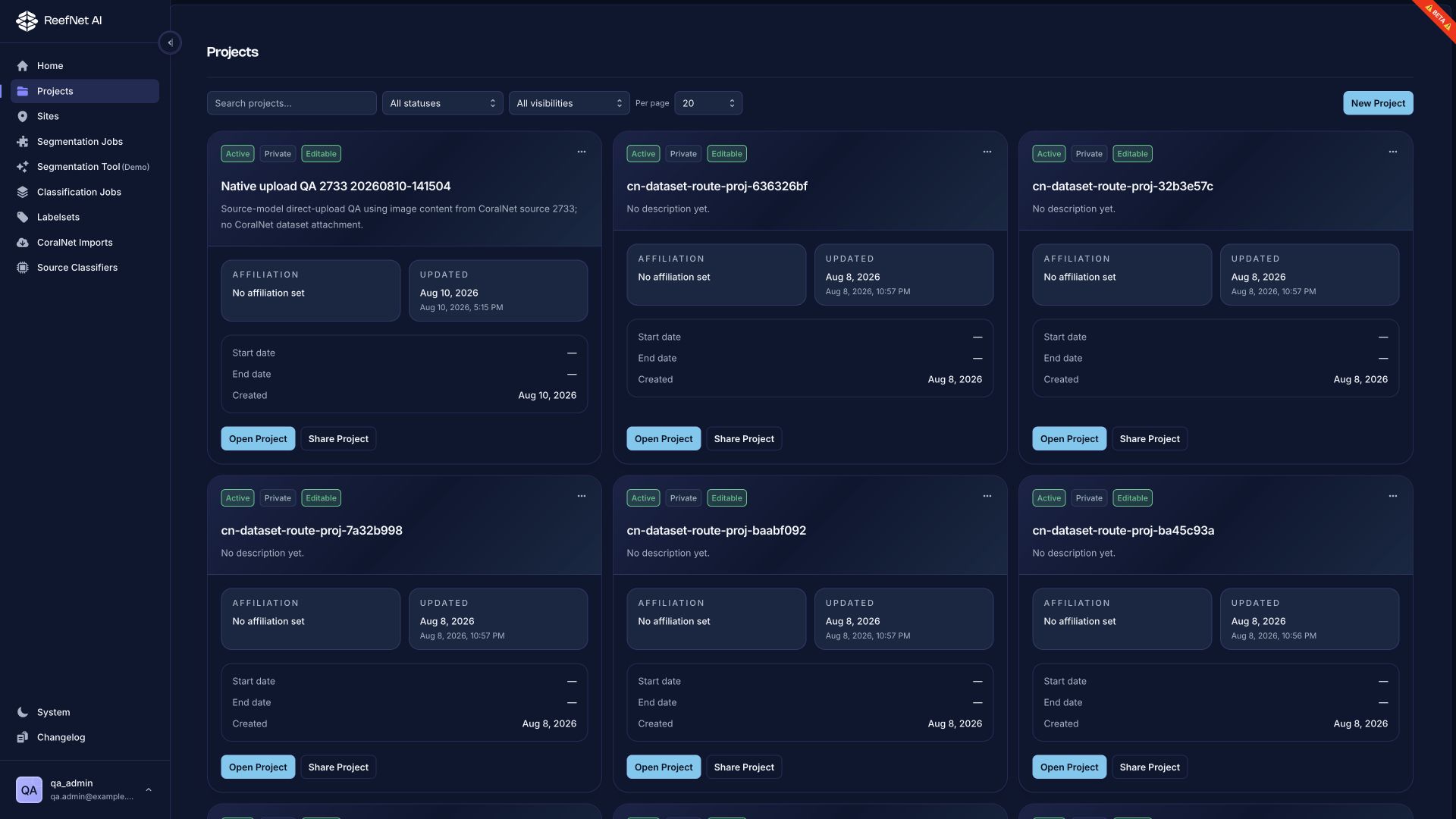
Create a project
- Open Projects.
- Select New Project.
- Enter a human-readable name and objective.
- Set visibility and dates deliberately.
- Save, then open the project.
Avoid codes as the only name. Put cruise, region, method, or season information in the name or description so collaborators can distinguish similar projects.
Add a survey
A survey groups visits that share a campaign or sampling design. Record the design in the description: transect protocol, camera setup, depth band, replication, or other assumptions needed to interpret the images.
Add a site visit
A visit connects one survey to one site on one date. From its tabs you can manage:
- Summary — identity and visit metadata
- Assets — imagery and upload state
- Jobs — linked classification and segmentation work
- Measurements — structured observations
- Source — CoralNet attachment and source-model workflow
Naming pattern
Use a consistent pattern such as:
{site} · {date} · {depth or method}
Example: Shib Nazar · 2026-04-22 · 10 m photoquadrats
Deleting a visit
Deletion can affect the context for linked imagery and jobs. Confirm the visit is not the scientific record you intend to preserve before using Delete visit.