Import from CoralNet
CoralNet import brings a reusable source dataset into ReefNetAI. It can contain images, point annotations, labels, and metadata returned by CoralNet.
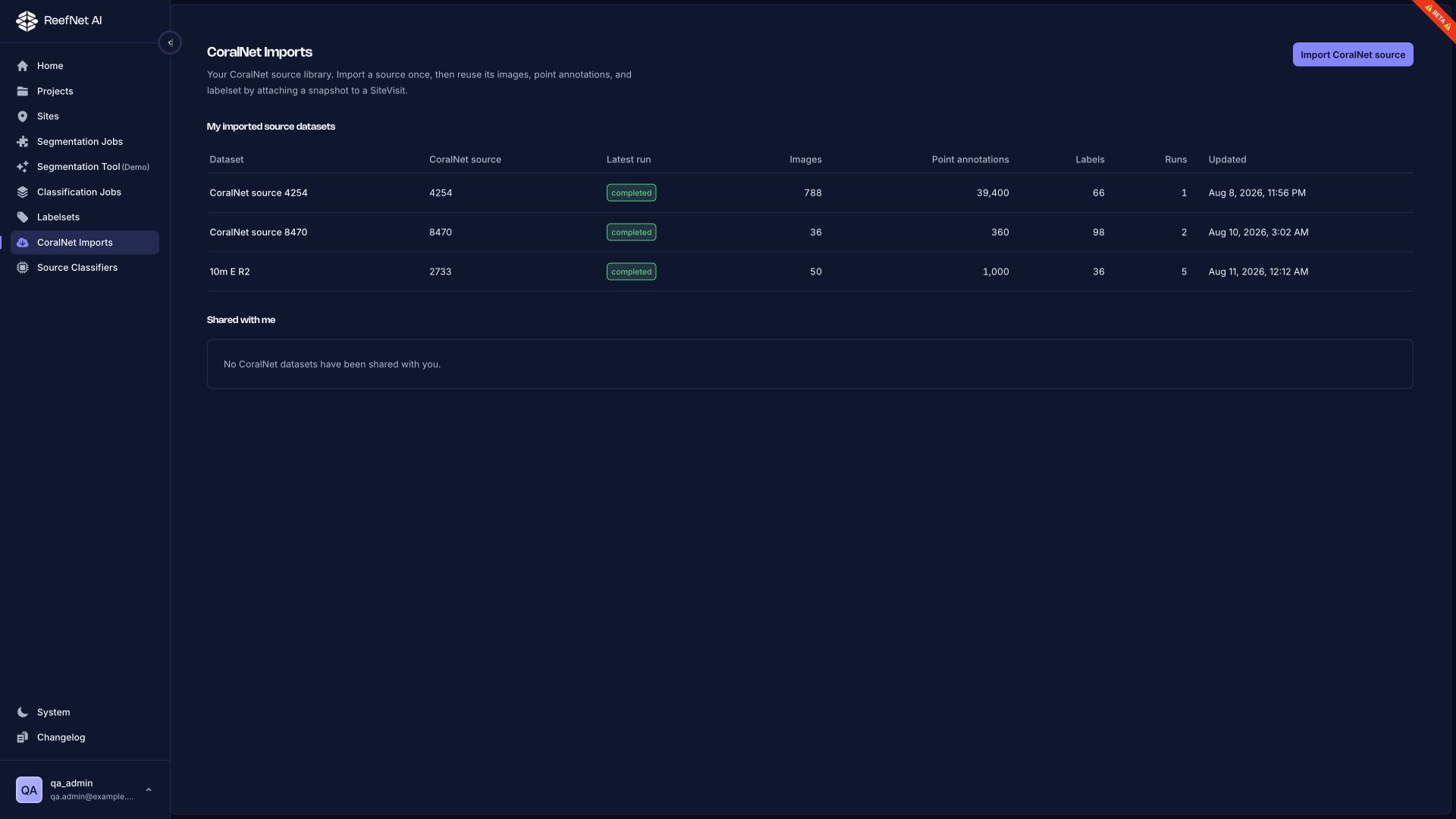
Import a source
- In CoralNet, open the source and copy its numeric source ID from the URL.
- In ReefNetAI, open CoralNet Imports.
- Select Import CoralNet source.
- Provide the source ID and the requested access when prompted.
- Leave the page while the import runs; return to the dataset library to check status.
ReefNetAI requests available annotation scopes from CoralNet. You do not choose all or confirmed during import. A later workflow may let you choose a landed subset.
Confirm what landed
Open the dataset and check What landed and Artifact inventory.
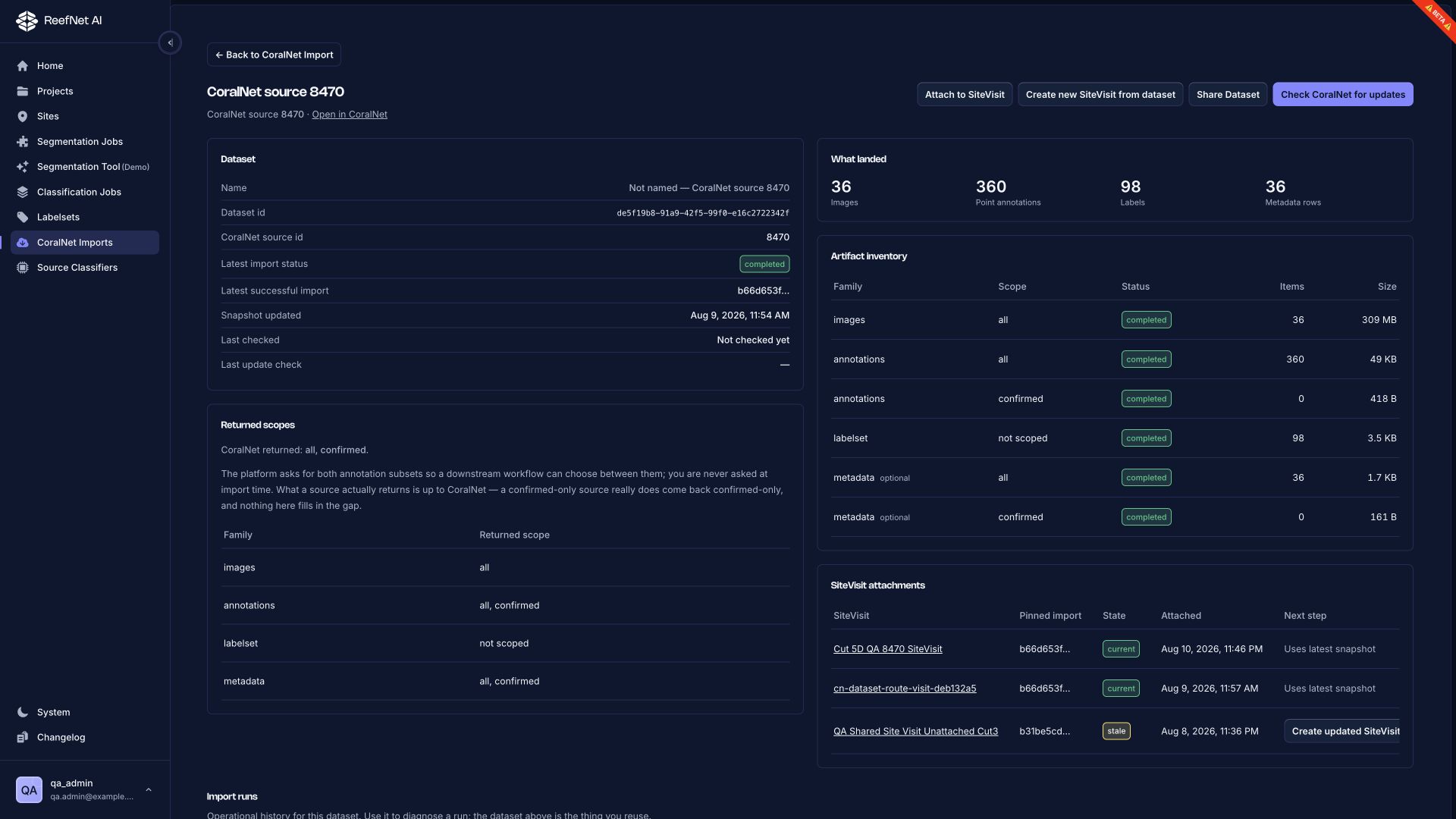
Verify:
- image count
- point-annotation count
- label count
- returned scopes
- completed artifact rows
- any empty confirmed subset
Confirmed can legitimately be empty
A returned confirmed artifact with zero annotations is not filled from all. ReefNetAI shows what CoralNet actually returned.
Attach the dataset to fieldwork
Use one of the primary actions:
- Attach to SiteVisit — connect the latest successful snapshot to an existing visit.
- Create new SiteVisit from dataset — select a project, survey, and site, then create a visit around the imported data.
The attachment pins a particular import snapshot. A later CoralNet update does not rewrite that visit.
Check for updates
Select Check CoralNet for updates when you want to compare the local dataset with its source. If a new successful snapshot lands, older attachments may show stale.
For a stale attachment, choose Create updated SiteVisit to create a successor pinned to the new snapshot. The original visit remains unchanged for reproducibility.
Use imported points
From an attached site visit, create a linked job:
- Classification: choose Use imported CoralNet points.
- Segmentation: choose a point-seeded workflow, then Use imported CoralNet points.
CoralNet points are source observations; they are not segmentation-mask ground truth.