Classify points
Classification assigns a benthic label to points on each image. Use it for point-based cover estimation or other sampled-label workflows.
Create a linked job
- Open a site visit and select Jobs.
- Start a linked job and choose Classification.
- Select the ready images.
- Choose the labelset and analysis scope.
- Choose the point source.
- Review the summary and create the job once.
Choose points
Use a supported random or grid method. Record the method and points per image because both affect inference.
Available when the site visit is attached to a compatible CoralNet dataset. ReefNetAI reports coverage for the selected images.
If imported-point coverage is partial, decide whether the uncovered images should be removed or explicitly accepted. Zero coverage blocks job creation.
Run and review
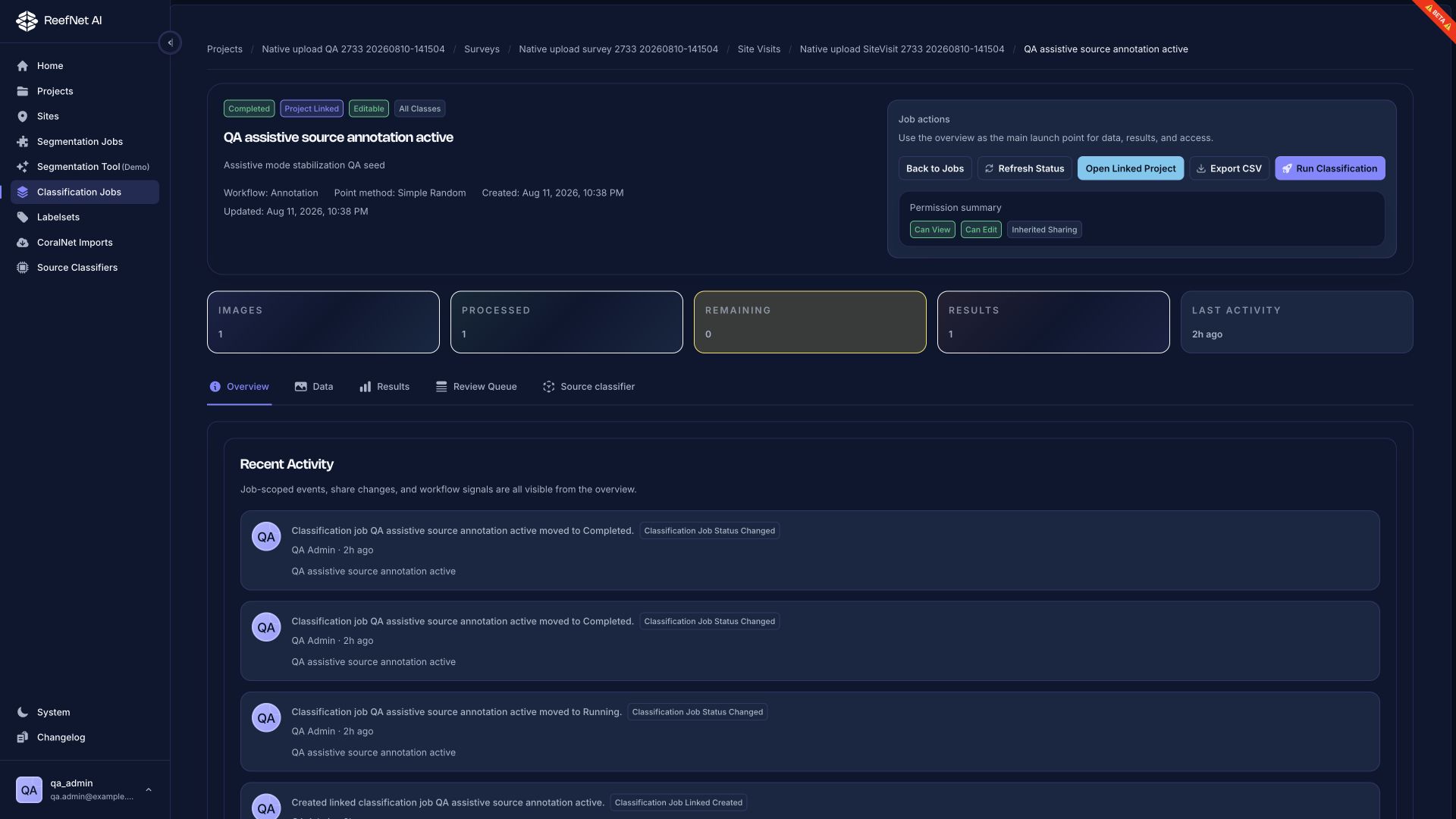
The job overview shows images, processed count, remaining count, results, and current state. Use:
- Data to inspect the input images and points
- Results to inspect or export assigned labels
- Review Queue to focus on outputs needing attention
- Source classifier for model context when the job supports it
Scientific checks
- Are points distributed according to the intended design?
- Are edge or unusable points handled consistently?
- Does the labelset match the analysis objective?
- Are rare or high-impact classes manually reviewed?
- Do per-image and total point counts match the design?